

Inside Our Workflow: AI Video Production Tools We Use
By Matthew Stanton | July 8, 2026
The AI video production tools we rely on eliminate the tedious grunt work that otherwise slows editing down. This frees us up to focus on pacing, story, and craft. In our last post we called that using AI as leverage.
Used that way, an editor can move faster and hand off a cleaner final cut.
Clients sometimes ask what that looks like in practice. Here’s a look inside the See It Media editing bays with three specific AI video production tools we rely on, and how we apply them to client projects.
Topaz Labs Video AI
Frequently, a client needs us to incorporate their existing assets into a new video project. These clips might be critical to the story, but they present a massive technical hurdle.
The Use Case: Rescuing Archival and Client-Provided Footage
When we are given footage, sometimes it can be low-resolution, heavily compressed, or full of digital noise. Dropping a noisy 480i clip into a 4K timeline creates a jarring experience for the viewer.
We run these problematic clips through Topaz Video AI. The software rebuilds resolution the original never had. It also strips out heavy grain and firms up soft edges. As a result, footage that would otherwise be a lost cause becomes usable, and it holds up next to everything else in the timeline.
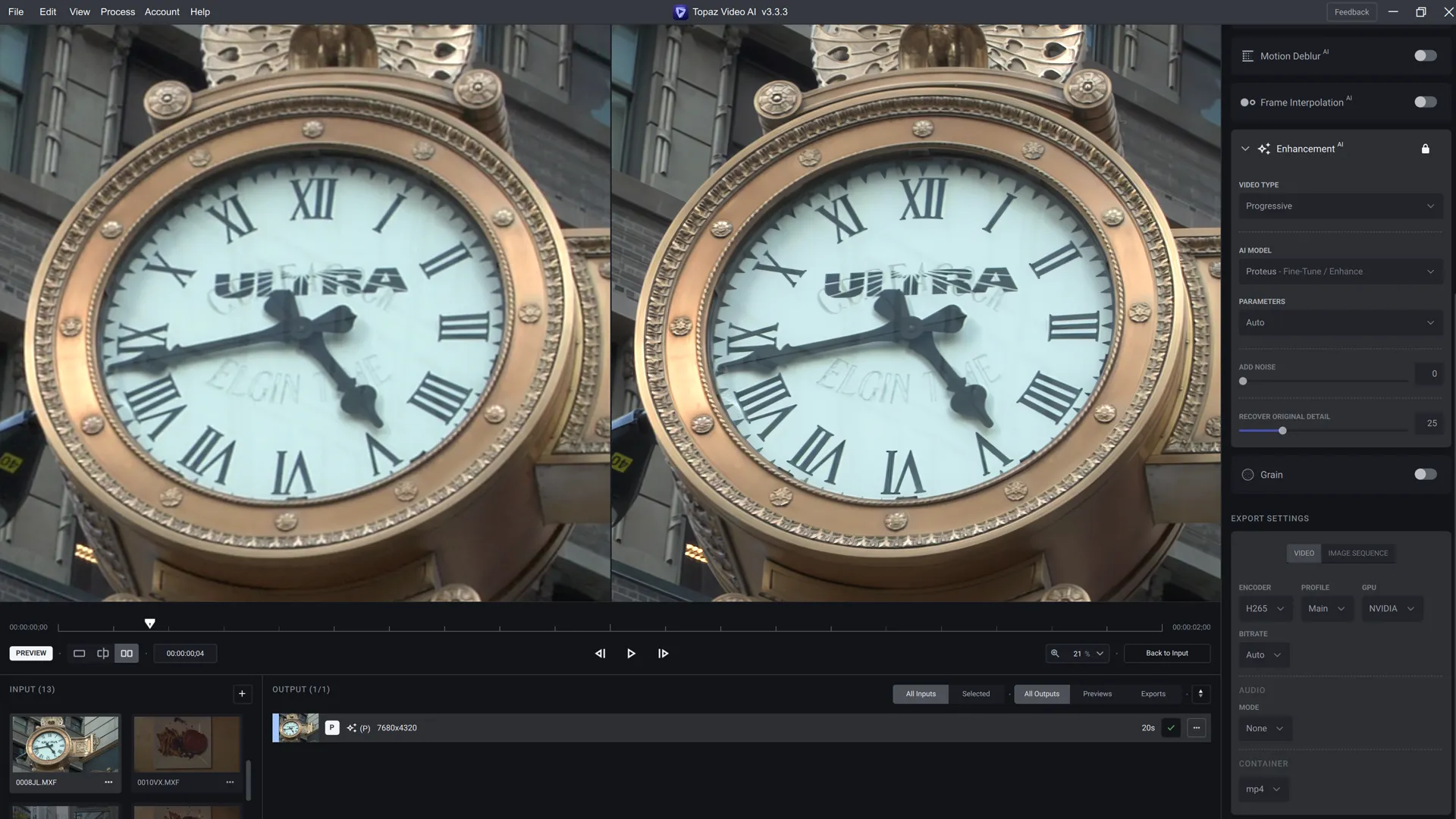
Topaz Labs Video AI: The original 720p footage on the left and upscaled 8K footage on the right. In the screenshot, the difference is subtle but definitely noticeable.
Topaz Labs Photo AI
Many video projects rely heavily on still photography. The challenge is that clients often provide us with older, scanned photographs or heavily compressed JPEGs that lack the data to hold up on modern screens.
The Use Case: Preparing Low-Resolution Stills for 4K Timelines
When you drop an old, low-resolution photograph into a video editor and try to slowly zoom in (the Ken Burns effect), the image quickly breaks down into a pixelated mess.
When we receive these low-quality assets, we process them through Topaz Photo AI. It rebuilds the resolution and brings back facial detail the scan had lost. It also clears the dust and scratches that come with old prints. We end up with enough clean data to pan and zoom across the photo without it falling apart into pixels.
On a side note, we recently learned that Adobe has announced the acquisition of Topaz Labs. It will be interesting to watch how this develops. The open question is whether Adobe folds these enhancement models straight into Creative Cloud, or lets Topaz keep running as its own standalone suite.
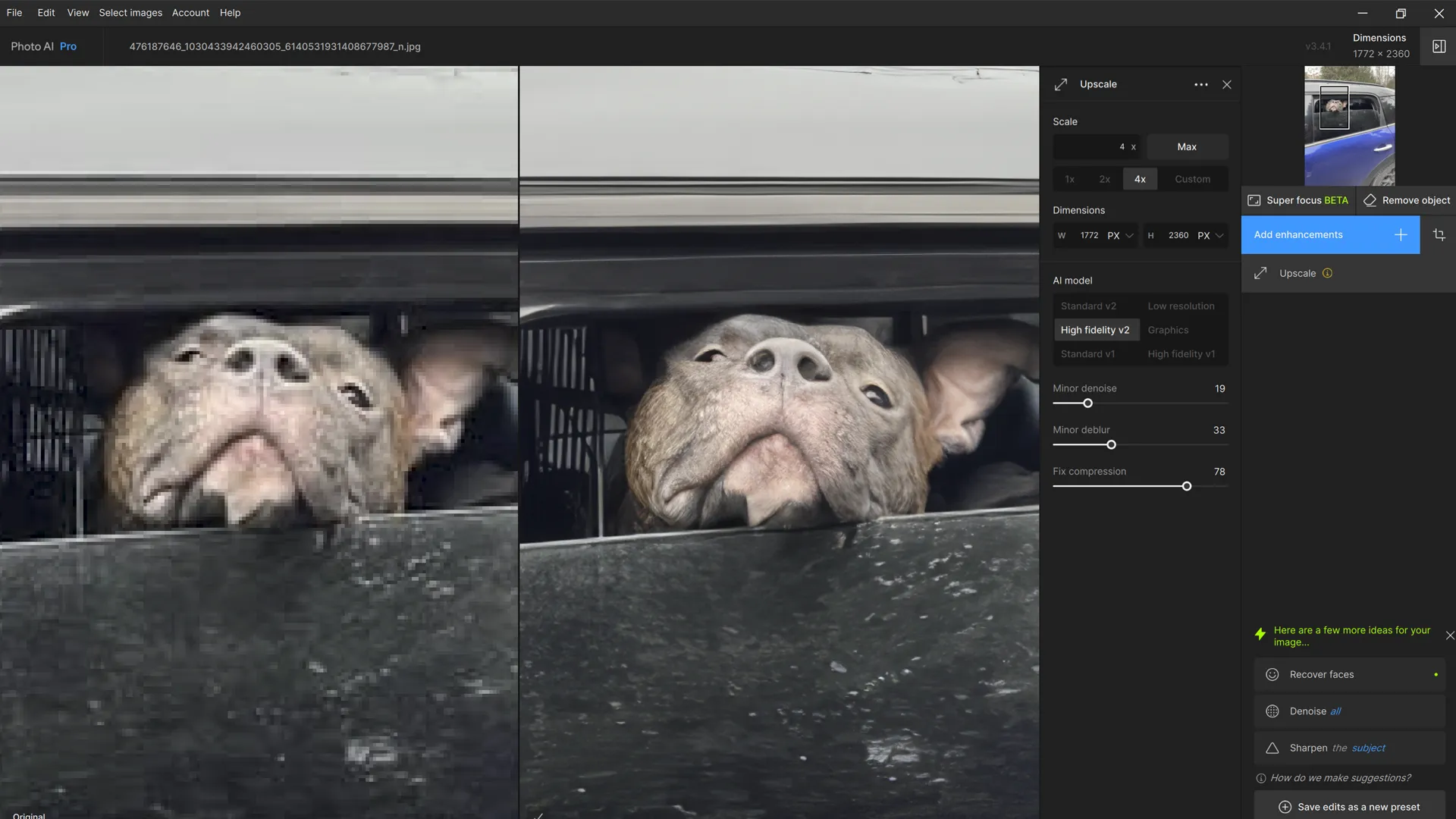
Topaz Labs Photo AI: The original photo on the left and the upscaled photo on the right.
Adobe Premiere Caption Generator
Most videos on LinkedIn and Instagram are watched with the sound off. Without captions, a lot of people just keep scrolling.
The Use Case: Automating the Tedious Time-Sync Workflow
Getting captions right used to be a pain. It required typing out the exact text and then manually scrubbing through the timeline frame-by-frame to sync every single sentence to the audio track. It could take an editor hours just to get the timing right.
So today, we let the caption generator built into Adobe Premiere Pro do the first pass. It reads the dialogue track and drops timed captions onto the timeline in one go. That frees up a lot of time on our end. Instead of syncing text by hand, we spend the time on styling, fonts, and placement so the captions match brand guidelines.
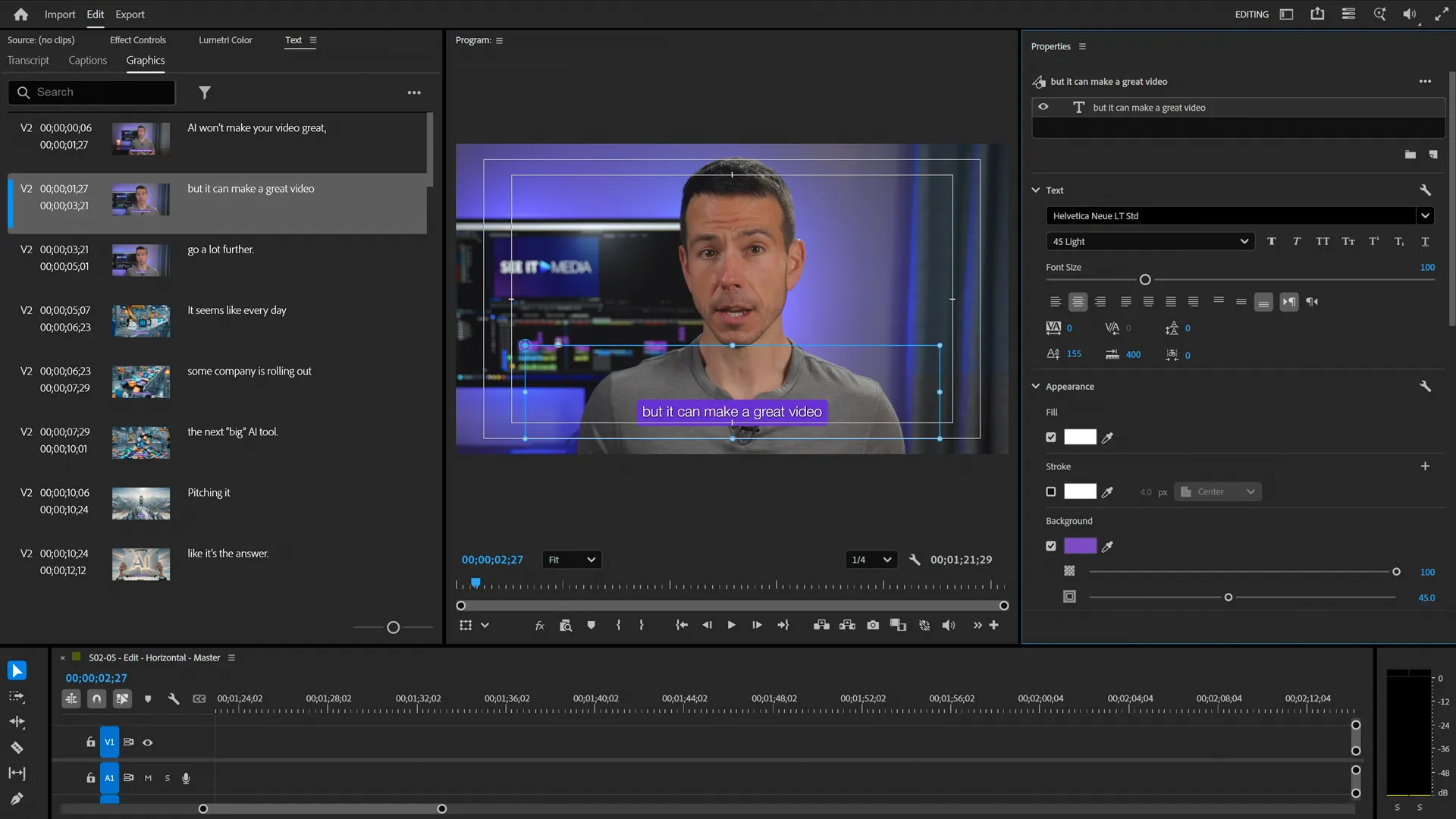
The captioning tool inside Adobe Premiere.
Strategy First, Tools Second
Software alone can’t save a bad script or a poorly planned shoot. But when applied correctly, these tools allow a professional crew to work faster and push the technical quality of a project further.
If you have a project that requires a high-end, professional touch from start to finish, Contact See It Media today, and let’s discuss your production needs.


FAQs About Using AI in Video Production
Q: How is AI currently used in professional video production?
See It Media uses AI primarily to eliminate tedious technical tasks. We use utility AI tools to upscale low-resolution footage, restore archival photographs, and automate the timing of captions. This allows us to focus on pacing, storytelling, and marketing strategy.
Q: Can AI fix bad audio or remove background noise from a video?
Yes. While it is always best to capture clean audio on set with professional microphones, modern AI audio tools can pull the spoken dialogue forward and cut down background noise, room echo, and wind. That’s a real help when we’re rescuing client material like Zoom recordings, webinar captures, or phone footage shot outdoors.
Q: Why shouldn’t we just use generative AI to create our brand videos from scratch?
While generative text-to-video AI is advancing, it lacks the precision, brand consistency, and authenticity required for high-level marketing. Audiences connect with real people, real leadership, and real locations. Lean entirely on generative AI and you tend to get videos that feel generic or robotic, and that erodes brand trust.
Q: Are there copyright risks when using AI video production tools in corporate video?
It depends on how the AI is used. Using AI utility tools to upscale your own existing footage, enhance your audio, or generate captions carries no copyright risk. However, using generative AI platforms to create completely new visual assets from text prompts can present legal gray areas regarding commercial use.
Q: Does using AI tools make professional video production cheaper?
In practice, AI mostly affects the speed of post-production, not the cost. By automating tedious tasks like manual transcription and footage rendering, editors can often deliver first drafts faster and spend more of their time refining the creative strategy. What you get is a sharper, more effective video in less time.
Q: Will AI replace human video editors?
No. A model can’t form a point of view, draw a real answer out of a nervous interviewee, or shape a marketing story that lands. What it does well is take the technical grunt work off the editor’s plate. The story itself, and the trust a video earns, still comes from a person.
Recent Posts
Video for SEO: Google’s Hidden Metric
Video for SEO: Google’s Hidden Metric
Social Media Video: The False Reality of the Influencer Reel
Social Media Video: The False Reality of the Influencer Reel
Motion Graphics: Make the Complex Simple
Motion Graphics: Make the Complex Simple
